a = 10.0.feet
b = 250.0.feet
pts = []
0.step(b, 1.feet) do |x|
y = a * Math::sin( (x / b) * 2 * Math::PI)
#p x, y
pts << [x, y]
end
Sketchup.active_model.active_entities.add_edges pts

My SketchUp Plugins list, and blog about the world of plugins for SketchUp.
Ruby Code Syntax Highlighting Test
This is a snippet of SketchUp Ruby code. How does it look?

Google 2009 Student Bridge Modeling Competition
Better late than never - deadline is June 15, 2009.
You may enter this competition if you are a student at a higher education institution almost anywhere in the world. Please read the official rules before registering.
The top 3 modelers will win a cash prize consisting of $5,000 for 1st place, $2,500 for 2nd place, and $1,000 for 3rd place. In addition, winners will be featured on the Official Google SketchUp Blog, and enjoy lasting online glory.
Visit the official competition page for more details.
New Book: Google SketchUp Cookbook by Bonnie Roskes
by Bonnie Roskes, published by OReilly.
Description
As the first book for intermediate and advanced users of Google SketchUp, this Cookbook goes beyond the basics to explore the complex features and tools that design professionals use. You'll get numerous step-by-step tutorials for solving common (and not so common) design problems, with detailed color graphics to guide your way, and discussions that explain additional ways to complete a task.
PageExIm Updated
PageExIm has been updated to work with SketchUp 7. A syntax issue caused the North Angle to be displayed when importing pages that had the North Angle display turned off. PageExIm, PresentationBundle, and PresentationBundle2 have all been updated. Current license owners can download the update at no charge.
via Smustard News on 4/3/09
New Book From Insite Builders
 How a House is Built
This is a “how-to” book on the construction of a small, simple, and sustainable house. The house starts with a surveyed layout, an excavation referenced from a workpoint, and the installation of footings and stem walls for a raised foundation. Next, the framing for the floor, walls, and open ceilings are erected followed by the doors, windows, trim, siding, and metal roofing to close the house in. The plumbing, mechanical, and electrical systems are then roughed-in at the end of the book in preparation for finish work that is completed online as an interactive chapter.
eZ - Cad & SketchUp Collaboration
Al Hart of RenderPlus posted about a new add-on for SketchUp called eZ.
Sound awsome - we'll be watching, AL.
(via RPS-Update )
Note: Found the eZ site here: http://www.ezmeeting.com/ezfree.shtml
eZ lets you markup SketchUp drawings (red line, notes, arrows, comments, etc.) and share them with co-workers or clients. The free version does a wonderful job of marking up documents. The main advantage of the for $$ version is that you can create multi-page documents, and include other documents formats (.PDF, .DOC, images, etc.) in you final presentation.
Watch for more news in a week or so.
Sound awsome - we'll be watching, AL.
(via RPS-Update )
Note: Found the eZ site here: http://www.ezmeeting.com/ezfree.shtml
CryEngine Mini-Update
PlayUp Alpha ver. 0.9.0.564 is now available for download.
This is a mini-update specifically enabling models with textures and colors to be exported to CryEngine2.
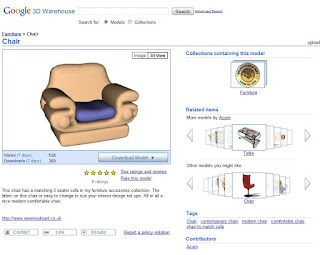 Here is a model from Google Warehouse. It was actually pretty difficult to find a model that did not have stray lines, so don't be surprised if you have a little clean-up work to do.

In SketchUp, make sure that the model is completely exploded and use the PlayUp Check Normals tool to ensure the faces are correct. Give the group or component an identifiable name. Set your export directory to your custom map directory off of the /Levels directory in Crysis ( ie. /Levels/Mapname ). On export, the textures used will be converted to TIF format and placed in /Levels/Mapname/textures. Exporting colors will place a file called "playup_nomaterial.tif" into the /textures directory.
 In SandBox 2, import and orient the model as desired. Enjoy the view.
Ver 0.9.0.564 Notes:
- Models need to be turned -90 degrees on the X axis in SB2.
- Models containing stray lines without faces will not export correctly.
- All textures used in the model will be converted to TIFs and placed in the /textures directory off of your export directory.
- Level export to CryEngine 2 not yet supported.
This is a mini-update specifically enabling models with textures and colors to be exported to CryEngine2.
 Here is a model from Google Warehouse. It was actually pretty difficult to find a model that did not have stray lines, so don't be surprised if you have a little clean-up work to do.

In SketchUp, make sure that the model is completely exploded and use the PlayUp Check Normals tool to ensure the faces are correct. Give the group or component an identifiable name. Set your export directory to your custom map directory off of the /Levels directory in Crysis ( ie. /Levels/Mapname ). On export, the textures used will be converted to TIF format and placed in /Levels/Mapname/textures. Exporting colors will place a file called "playup_nomaterial.tif" into the /textures directory.
 In SandBox 2, import and orient the model as desired. Enjoy the view.
Ver 0.9.0.564 Notes:
- Models need to be turned -90 degrees on the X axis in SB2.
- Models containing stray lines without faces will not export correctly.
- All textures used in the model will be converted to TIFs and placed in the /textures directory off of your export directory.
- Level export to CryEngine 2 not yet supported.
Subscribe to:
Posts (Atom)
Popular Posts (Last 30 Days)
-
 Sketchup materials library of 12x12 vinyl floor tiles. Download download
-
This SketchUp script assists the user in flattening, or unfolding, 3d objects onto a 2d plane. Installation Download unfoldtool.zip . M...
-
 2010-09 * Updated for small bug in placement in SketchUp 8. toolbars-2010-09.zip This is an update to Custom Toolbars plugin with t...
-
 Updated Dec 26, 2010 What are Plugins Beginning with version 4, SketchUp has shipped with an embedded Ruby-language interpreter allowi...
-
Dec 18, 2010 - TIG just released a new .obj exporter. TIG's plugins are usually solid, so I recommend trying TIG's. ( TIG's OBJe...
-
 Apr 2014 * Renamed to MoveIt , and available in t SketchUcation Plugin Store Aug 16, 2009 * Released update fixing possible bugsplat...
-
 This is the first step in a greeble plugin. And by first step I mean there are possible bugs. Protrude performs 4 basic operations: div...
-
 The Construction Line Tool allows you to draw constructions lines in a similar way as the Pencil Tool. Toolbar: View > Toolbars >...
-
 This Windows-only plugin creates a Toolbar for controlling the Ruby Console It can open and close the Ruby console, clear the console, loa...
-
 This importer lets you import both ASCII and binary STL files into SketchUp. It automatically detects the type of .stl file and imports acc...